
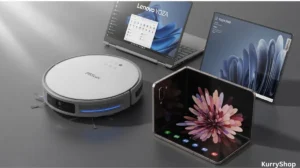
The funny thing about working from home is that you don’t notice the friction at first. It builds up slowly. A laptop that heats up after two browser tabs. A phone that feels like a compromise instead of a tool. Floors that somehow collect dust even when you swear you cleaned two days ago.
For a long time, I thought the answer was more discipline. Better routines. Less procrastination. But after a while, it became obvious that part of the problem wasn’t me—it was the environment. The tools around me were just… average. Functional, but never comfortable. And when you spend eight or nine hours a day in the same space, “average” starts to feel exhausting.
So I stopped looking for budget fixes and started looking at a few premium pieces that could actually remove friction from everyday tasks. Not ten gadgets. Just a handful that solved real annoyances. Here’s what ended up making a difference.
One small thing I didn’t expect to matter was password management. As I added more devices and shopping accounts, keeping track of logins started to feel messy. I switched to RoboForm, and it quietly solved that problem without much effort.
The robot that quietly handles the floors
At first, I didn’t think a high-end robot vacuum was necessary. I had used cheaper ones before. They’d bump into chair legs, get lost under tables, or leave random streaks of dust in corners. You’d still end up sweeping manually, which made the whole thing feel pointless.
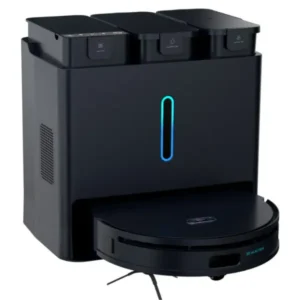
The PS5Lux 10-in-1 Smart Robot Vacuum & Mop is in a different category. It doesn’t feel like a toy appliance. It feels like something designed to actually replace part of your cleaning routine. What makes it different isn’t just the suction power—it’s the way it moves. The laser navigation maps the room like it understands where things are, not just where they happen to be at that moment.
The basic checklist, in plain terms:
- Up to 25,000Pa suction power, which is strong enough to pick up heavier debris, not just dust.
- Laser navigation system that builds a real map of your home instead of wandering randomly.
- Automatic vacuum and mop combination, so you’re not switching devices.
- App control for scheduling and room-specific cleaning.
- Multiple cleaning modes depending on floor type.
- Quiet operation compared to older robot vacuums.
What I noticed most wasn’t the cleaning itself. It was the absence of that “I should vacuum today” thought sitting in the back of my mind. The floors just stayed clean.
What most people get wrong about robot vacuums
A lot of people treat robot vacuums as replacements for traditional ones. That’s usually why they’re disappointed. They’re not really meant for deep, once-a-week cleaning. They’re for maintenance. When the floor never gets dirty in the first place, you stop needing those big cleaning sessions. That’s where higher-end models earn their price. They’re reliable enough to run daily without supervision.
Compared to the typical budget robot vacuum
A $100–$150 robot vacuum usually:
- Moves randomly instead of mapping.
- Gets stuck more often.
- Misses entire areas.
- Has weaker suction.
The PS5Lux feels closer to premium brands like Roborock or Ecovacs in behavior, even if the price is still lower than some flagship models. It’s not just stronger—it’s smarter.
A phone that replaces two devices at once

I used to carry a tablet for reading documents and a phone for everything else. It felt normal, until you realize you’re constantly switching between the two. The Samsung Galaxy Z Fold 4 changed that dynamic completely. It’s one of those devices that doesn’t feel impressive in ads, but feels surprisingly practical in daily use.
Folded, it behaves like a regular smartphone. Slim enough to slip into a pocket, easy to use one-handed. But when you open it, the inner display turns it into something closer to a small tablet. Suddenly, reading long emails, editing documents, or even just browsing feels less cramped.
Quick spec-style checklist:
- 7.6-inch AMOLED foldable inner display.
- 12GB RAM for smooth multitasking.
- Storage options: 256GB or 512GB.
- Powered by a Snapdragon processor.
- 5G connectivity with 1 SIM + 1 eSIM support.
- NFC for contactless payments.
What surprised me most was multitasking. You can run three apps at once on the main screen, and it actually feels natural. Email on one side, a document in the middle, browser on the other. It sounds excessive until you try it. Then it’s hard to go back.
One small thing I didn’t expect to matter was password management. As I added more devices and shopping accounts, keeping track of logins started to feel messy. I switched to RoboForm, and it quietly solved that problem without much effort.
What most people get wrong about foldable phones
A lot of people think foldables are just about the “wow” factor. A party trick. Something flashy but unnecessary. But the real benefit is space. When you give apps more room, you reduce friction. Fewer zoom-ins. Fewer scrolling gestures. Less switching between apps. It’s subtle, but over a long workday, it adds up.
Compared to a regular flagship phone
Take something like a typical iPhone or standard Galaxy S-series phone:
- Great cameras.
- Fast performance.
- Solid battery.
But the screen size stays fixed. You either carry a phone or a tablet. The Z Fold 4 quietly merges both roles. It doesn’t replace a laptop, but it reduces how often you need one.
The laptop that disappears into the background
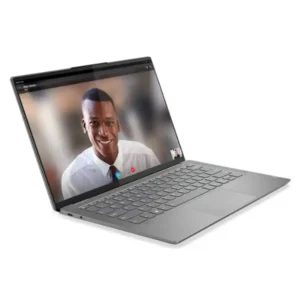
Some laptops constantly remind you they exist. The fan spins loudly. The chassis gets hot. The keyboard flexes. The battery drains faster than expected. The Lenovo Yoga S940-14 feels different. It’s one of those machines that doesn’t draw attention to itself, which is exactly what you want from a work laptop. It’s thin, light, and fast enough for most office workloads. Nothing flashy, just a solid daily driver.
The practical spec checklist:
- Intel Core i7-1065G7 (10th Gen) processor.
- 14-inch UHD display with sharp, crisp visuals.
- 16GB RAM for smooth multitasking.
- 1TB SSD for fast storage and plenty of space.
- Ultra-thin, lightweight aluminum design.
- Windows 10 Pro preinstalled.
- This version is used, around 90% new condition.
The keyboard is comfortable without being mushy, and the trackpad feels precise. It’s the kind of laptop you open in the morning and forget about until the end of the day. And honestly, that’s the highest compliment you can give a work device.
What most people get wrong about premium laptops
People often assume premium means powerful in the gaming sense—huge processors, massive GPUs, flashy RGB.
But in an office context, “premium” usually means:
- Quiet operation.
- Good battery life.
- Solid build quality.
- A screen that doesn’t strain your eyes.
Performance still matters, but comfort matters more when you’re staring at the device all day.
Compared to a typical budget laptop
A budget laptop in the $400–$600 range usually comes with:
- 8GB RAM.
- Slower SSD or even HDD.
- Plastic chassis.
- Lower-resolution display.
They work fine at first, but after a year or two, they start feeling sluggish. The Yoga S940, even as a used premium model, tends to age more gracefully because it started with stronger components.
When premium actually makes sense
There’s a certain point where cheaper gadgets stop being practical. Not because they’re bad, but because they create tiny daily inconveniences.
- A vacuum that misses corners.
- A phone that feels cramped for reading.
- A laptop that stutters during video calls.
Individually, those things don’t seem like a big deal. But stacked together, they create a low-level frustration that sits in the background all day. Premium tech, at least when chosen carefully, isn’t about showing off. It’s about removing those small irritations.
The robot vacuum keeps the floor clean without effort.
The foldable phone reduces device switching.
The laptop handles work quietly without drama.
None of them are life-changing on their own. But together, they make the home office feel calmer, more predictable, and easier to live with. And after a few weeks, you stop thinking about the gadgets entirely—which is usually a sign they’re doing their job.