
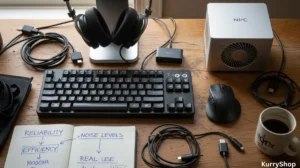
The first thing that pushed me down this rabbit hole wasn’t curiosity or a desire to optimize anything. It was a sound. A faint, high-pitched whine that showed up sometime after lunch and refused to leave. I thought it was outside at first. Traffic, maybe. Then I realized it stopped when I shut my laptop lid. That was the moment it hit me: I spend most of my day surrounded by desk tech, and I barely notice it until something goes wrong. Noise, heat, lag, weird little failures that don’t break anything outright but quietly drain your patience.
So I started paying attention. Not in a lab-test way, more like the way you notice a chair that squeaks every time you lean back, or a light that flickers just enough to make you rub your eyes. Over months of regular workdays, I swapped devices, unplugged things, tried alternatives, and took mental notes. What held up. What didn’t. What sounded fine for an hour but annoying for eight. This isn’t about finding the “best” desk tech. It’s about reliability, noise, and efficiency as they show up in real life, when you’re tired and trying to finish something before dinner.
Reliability shows itself on boring days
Most desk tech works great when you first set it up. Fresh firmware, clean desk, enthusiasm still intact. Reliability doesn’t show up then. It shows up three weeks later, on a Tuesday, when nothing interesting is happening. The keyboard that starts double-registering certain keys. The monitor that occasionally fails to wake up from sleep. The USB hub that disconnects everything if you bump the desk a little too hard.
I started judging devices less by how impressive they felt and more by how predictable they were. Predictability is underrated. When something behaves the same way every day, you stop thinking about it. That’s efficiency in disguise. Some small reliability details that ended up mattering more than expected:
- Cables that don’t loosen over time
- Power buttons that respond on the first press
- Devices that reconnect quickly after sleep
- No need for frequent reboots “just in case”
None of this makes a product exciting. It makes it trustworthy. And trust is what keeps your brain focused on work instead of troubleshooting.
Noise isn’t just about volume
When people talk about noise, they usually mean loudness. Fans spinning up. Keys clacking. Speakers buzzing. But the more time I spent listening, the more I realized the real issue is character, not volume. A low, steady hum fades into the background. An irregular clicking noise never does. A fan that ramps up and down every few minutes is more distracting than one that runs constantly at a moderate level.
Take keyboards. Mechanical switches get all the attention, but the case matters just as much. A hollow case amplifies sound. A heavier, well-dampened one absorbs it. Two keyboards can use similar switches and feel completely different in a quiet room. Same with laptops and docks. Coil whine is technically quiet, but it hits a frequency that cuts through everything else. Once you notice it, it’s hard to unhear. Noise-related things I learned to listen for:
- Pitch changes, not just loudness
- Inconsistent fan behavior
- Resonance through the desk surface
- Electrical noises during idle moments
Compared to working from a shared office space, home desk noise feels more personal. There’s no ambient chatter to mask it. Every sound belongs to something you chose.
Efficiency is mostly about wasted effort
Efficiency gets framed as speed or performance. Faster processors, higher refresh rates, more throughput. In daily desk work, efficiency is usually about how much extra effort you’re forced to spend. Extra effort looks like this: adjusting your seating because the keyboard angle isn’t quite right. Moving your mouse twice because the sensor skips. Repositioning a webcam every call because it droops. The most efficient setups I’ve used weren’t the fastest. They were the least demanding. A few features that quietly improved efficiency:
- A monitor stand that stays where you put it
- A mouse that tracks consistently on any surface
- A dock that handles charging and data without negotiation
- Software that doesn’t demand constant updates mid-day
None of these save huge chunks of time on their own. They save attention. That’s harder to measure, but you feel it by the end of the day.
The checklist that actually helped
I started writing things down, not as specs but as lived impressions. When I compared devices, this is what my notes ended up looking like.
For keyboards:
- Weight: heavy enough to stay put
- Sound: muted, no metallic echo
- Key feel: consistent across the board
- Connection: no random dropouts
For monitors:
- Wake-from-sleep reliability
- Uniform brightness
- Stable stand or arm
- Ports that don’t feel fragile
For audio gear:
- No background hiss at idle
- Physical mute control
- Stable volume levels
- No driver drama
For docks and hubs:
- Heat under normal load
- Cable strain relief
- Reconnect speed
- Power delivery consistency
It’s not glamorous, but it’s honest. And it made comparisons clearer than any benchmark chart.
Comparing a “desk setup” to a laptop-only life
Before adding external desk tech, I worked almost entirely on a laptop. It’s the obvious alternative, and for a lot of people, it’s still the right one. A laptop-only setup is efficient in a different way. Fewer cables. Fewer failure points. Less noise overall. Everything is tuned to work together.
But over long days, limitations show up. Smaller screen forces closer focus. Built-in keyboards and trackpads aren’t designed for all-day use. Cooling systems are compact, which means fans ramp up more aggressively. When I compare the two approaches honestly:
Laptop-only advantages:
- Minimal noise when lightly loaded
- Fewer compatibility issues
- Easy to move and reset
Desk tech advantages:
- Better long-term comfort
- Lower sustained noise per device
- Easier to isolate problems
- Components can be replaced individually
Neither is “better” in general. The difference shows up over time. A laptop-only setup feels efficient in short bursts. A desk setup pays off when workdays stretch.
Heat doesn’t get talked about much, but it affects everything. Hot devices throttle performance, spin fans faster, and age more quickly. One thing I noticed after adding a dock and external monitor: my laptop actually ran cooler. Offloading display output and charging to external hardware reduced its internal load. On the flip side, some docks run surprisingly hot. Not dangerously so, but warm enough that you don’t want to touch them for long. That heat has to go somewhere, usually into the air right in front of you. Subtle heat-related observations:
- Warm desks amplify fan noise
- Heat makes plastic feel cheaper
- Devices behave differently in summer
- Vent placement matters more than specs
Efficiency isn’t just electrical. Thermal behavior shapes how devices feel and sound throughout the day.
When “smart” features get in the way
Modern desk tech loves automation. Auto-brightness, auto-input switching, adaptive sound profiles. Sometimes these work beautifully. Sometimes they feel like a well-meaning coworker who keeps adjusting your chair. Auto-brightness on monitors often overreacts to small changes in ambient light. Input switching can lag or choose the wrong source. Noise-canceling microphones can cut off the beginning of sentences.
I learned to value manual control more than intelligence. A simple button you can trust beats an algorithm guessing your intent. Features that sounded good but didn’t age well:
- Aggressive power-saving modes
- Gesture controls you trigger accidentally
- Software layers that need constant attention
Reliable tech doesn’t try to be clever. It tries to be solid.
What most people get wrong about this kind of desk tech
They think problems show up immediately. Most desk tech issues are slow. A slight increase in noise over months. A connection that becomes flaky after repeated use. A hinge that loosens just enough to annoy you.
People also overestimate how much performance they need and underestimate how much stability they want. A device running at 80% of its potential, quietly and consistently, is usually more pleasant than one hitting 100% in short, noisy bursts.
Another common mistake is treating each gadget in isolation. In reality, everything interacts. A loud keyboard feels louder in a quiet room. A bright monitor makes fan noise more noticeable because your senses are already engaged. Efficiency and noise are environmental, not individual.
After spending enough time with all this gear, I ended up thinking about it less in terms of specs, and more in terms of what actually holds up during a normal workday.
| Desk tech | Reliability over time | Noise character | Daily efficiency impact |
|---|---|---|---|
| Keyboard | Stayed consistent, no missed inputs over long sessions | Soft, controlled sound without sharp echoes | Reduced finger fatigue and mental friction |
| Mouse / Trackpad | No dropouts, tracking stayed predictable | Virtually silent, no surface noise | Less wrist strain, smoother navigation |
| External Monitor | Reliable wake-up, no random signal loss | Silent, no electrical noise noticed | Easier focus during long work blocks |
| Audio gear | Stable performance, no reconnect issues | Clean sound, no hiss or interference | Clear calls without constant adjustments |
| Dock / Hub | Handled daily plug-ins without failing | Low background hum, even under load | Simplified setup, fewer daily interruptions |
Living with imperfections
No setup is silent. No system is flawless. The goal isn’t perfection; it’s tolerance. Can you live with the small quirks without thinking about them constantly? Some things I learned to accept:
- A soft fan hum during heavy loads
- Minor cable clutter behind the desk
- Occasional software updates at bad times
Other things turned out to be deal-breakers:
- Unpredictable disconnections
- High-pitched electronic noise
- Devices that demand daily adjustment
The difference between acceptable and unacceptable is personal, but you only discover it by living with the gear, not reading about it. The best test I found was simple: how did I feel at the end of the day? On days when the tech behaved, work ended cleanly. I closed things down and moved on. On days when something kept nagging at me—a noise, a glitch, a weird delay—I carried that irritation with me.
That’s the quiet cost of unreliable desk tech. It doesn’t stop you from working. It just makes work heavier than it needs to be. Over time, the setup I settled into wasn’t the most powerful or the quietest on paper. It was the one that asked the least from me. It stayed out of the way. It let me forget it existed. And when you reach that point, you stop testing desk tech altogether. You just use it. Which, in a strange way, feels like the highest compliment you can give any of these tools.