
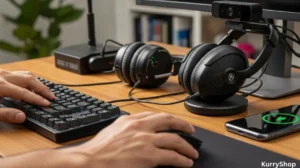
When a workday keeps nudging you the wrong way
I didn’t plan to care this much about home office gear. It started, like a lot of these things do, with a small annoyance that kept repeating. My laptop webcam made me look like I was calling in from a cave. My shoulders crept upward during long edits. I kept unplugging and replugging cables because my desk felt like a bowl of tangled earbuds. None of it was dramatic, just mildly irritating in a way that builds over months. Eventually, I realized I was spending eight to ten hours a day touching, staring at, and relying on tools that I’d never really chosen. They were just… there.
So I started swapping things out, one by one. Not in a “build the perfect setup” way, but more like borrowing a mouse from a friend, returning a keyboard that annoyed me, testing a lamp for a week and then deciding it made me tired. What follows isn’t a roundup of “best” gadgets. It’s more like notes from living with them: how they perform when no one’s watching, how they’re built when you stop babying them, and what daily use actually feels like.
The pieces that quietly shape a workday
The desk itself matters more than people admit
Before getting into gadgets with buttons and firmware, it’s worth saying this: the desk is a gadget, too. I didn’t upgrade mine for a long time because a flat surface feels like a solved problem. But once I moved to a deeper desk with a sturdier frame, everything else started behaving better.
A shallow desk forces compromises. Your keyboard edges toward you. Your monitor creeps closer than it should. You start leaning without noticing. With more depth, you can set things back where your eyes expect them to be. It sounds obvious, but it changes how every other gadget performs because you’re not fighting for space.
What surprised me was build quality. A heavier desk doesn’t just feel “premium.” It absorbs small movements. When you type hard or shift your weight, the screen doesn’t wobble. That steadiness reduces tiny distractions you don’t consciously register, but your body does.
Keyboards: why feel beats features
I went through three keyboards in a year, which felt excessive until I realized each one failed me in a different, very specific way. The first was a low-profile wireless keyboard. Thin, quiet, elegant. It looked great in photos. But the keys bottomed out harshly, and after a few hours my fingers felt oddly fatigued. Not sore—more like they’d been tapping on glass.
The second was a mechanical keyboard with loud switches. It was fun for about two days. Then I noticed how often I hesitated before typing because I didn’t want to make noise during calls. The one that stuck landed somewhere in the middle. Medium travel, muted sound, solid weight. Things that ended up mattering more than specs:
- Key resistance that pushes back just enough to slow you down slightly
- A case that doesn’t flex when you pick it up from one corner
- Legends on the keys that don’t start fading after a month
- A cable that doesn’t fight you or kink immediately
People talk a lot about switch types, but the real test is whether your hands feel “done” at the end of the day. A good keyboard disappears. A bad one keeps reminding you it exists.
What most people get wrong about this: They assume typing comfort is about speed or noise. It’s mostly about consistency. If each key feels just a little different, your fingers keep making micro-adjustments. Over hours, that adds up.
The mouse vs. the trackpad debate (again)
I tried to stay trackpad-only for a long time. There’s a certain pride in it, like you’re proving something. But precision work eventually exposes the limits. A good mouse doesn’t make you faster in obvious ways. It just reduces friction. Less re-centering. Fewer accidental gestures. You stop overshooting small targets.
The mouse that worked best for me wasn’t the one with the most buttons. It was the one that fit my hand without me thinking about it. The scroll wheel had a slightly damped feel that made line-by-line scrolling predictable instead of jumpy. Things I noticed after a few weeks:
- Wrist movement replaced finger strain
- Less tension in my forearm by late afternoon
- Fewer “miss clicks” during repetitive tasks
Compared directly to a laptop trackpad, the mouse won on endurance. The trackpad still shines for quick browsing or travel, but for long sessions, the mouse feels like a tool instead of a compromise.
Monitors: clarity is only half the story
Upgrading to an external monitor felt like the most obvious improvement, but it came with surprises. Resolution is easy to sell. What’s harder to explain is how refresh rate and panel quality change your relationship with the screen.
A higher refresh rate doesn’t just help with gaming. Scrolling becomes calmer. Cursor movement looks anchored instead of floaty. Your eyes track motion without that subtle stutter that makes you blink more than necessary.
Build quality shows up in boring moments. Does the stand sag over time? Do the buttons feel like they’ll snap off? Does the screen develop uneven brightness around the edges? Checklist-style notes I actually cared about:
- Matte coating that reduces glare without fuzziness
- A stand or arm that doesn’t drift downward
- Ports that don’t require awkward cable angles
- On-screen controls that don’t feel hostile
When comparing a mid-range external monitor to a high-end laptop display, the laptop still wins on color and sharpness. But for sustained work, the larger monitor wins on comfort. You move your head instead of squinting your eyes. That matters more than pixel density after hour four.
Webcam upgrades: not about looking better
I didn’t buy a better webcam to look impressive. I bought it because I was tired of people asking if my connection was bad. A dedicated webcam handles light more intelligently. It doesn’t smear motion or hunt for focus every time you shift in your chair. That stability changes how people read you on calls. You look calmer because the image is calmer. Daily-use observations:
- Automatic exposure that doesn’t overreact to a passing cloud
- A physical privacy shutter that becomes part of your routine
- A mount that stays put when you adjust it
Compared to a built-in laptop camera, the difference isn’t cinematic. It’s functional. You stop thinking about the camera altogether, which is the real upgrade.
Audio: the underrated workhorse
Headphones get all the attention, but the unsung hero is the microphone. Bad audio makes people tired faster than bad video. I tested a few options, from headset mics to small desktop units. The one that stayed was the least flashy. Heavy base, simple gain control, no RGB anything. What made it work:
- Consistent volume without constant tweaking
- Minimal background noise pickup
- A mute button you can find without looking
Compared to using earbuds or a laptop mic, the difference shows up in how often people ask you to repeat yourself. Which is to say: almost never.
Lighting: less about brightness, more about direction
I assumed brighter was better. Turns out direction matters more. A soft, angled light reduced eye strain more effectively than blasting my face with a panel. A good desk lamp doesn’t announce itself. It just keeps shadows from getting weird as the day changes. Build quality shows in the hinge tension and how smoothly it adjusts. Small details I appreciated:
- A color temperature that doesn’t drift
- Controls that remember your last setting
- No buzzing at low brightness
Compared to overhead room lighting, a dedicated desk light feels personal. It lights your work, not the entire room, which somehow makes it easier to focus.
Docking stations and cable sanity
This is the least exciting category and the one that improved my day the most. A solid dock means one cable in, one cable out. No crawling under the desk. No guessing which port decided not to cooperate today. Things I learned quickly:
- Heat management matters more than port count
- A weighted base keeps cables from pulling it around
- Power delivery consistency beats raw wattage
Compared to plugging everything directly into a laptop, a dock reduces mental overhead. You stop negotiating with your setup every morning.
Chairs aren’t gadgets, but they behave like them
I resisted calling a chair a gadget, but it absolutely is one. It has adjustments, tolerances, failure points. The chair I settled into didn’t feel amazing at first. It felt neutral. Over weeks, I noticed I stopped shifting as much. My back didn’t ask for attention. Checklist thoughts that mattered long-term:
- Armrests that move independently
- A seat that doesn’t compress unevenly
- A recline mechanism that feels predictable
Compared to a dining chair or cheap office chair, the difference is cumulative. Nothing dramatic happens. Things just don’t hurt later.
What most people get wrong about home office gadgets
They chase novelty instead of relief. A gadget earns its place when it removes friction you didn’t realize you were managing. Not when it adds a feature you feel obligated to use. Build quality matters because it determines whether the tool fades into the background or keeps demanding your attention.
Performance, in daily life, isn’t about peak capability. It’s about stability. Does the thing behave the same way at 9 a.m. and 7 p.m.? Does it forgive small mistakes? Does it recover gracefully when you bump it, unplug it, or forget about it for a weekend? And maybe most importantly: comfort isn’t a luxury. It’s feedback. If something feels slightly off, that feeling compounds.
After living with all of this for a while, I ended up seeing each piece less as a “product” and more as something that either faded into the background… or didn’t. Putting it side by side made those differences clearer.
| Device | Daily use — what stands out | Small frustrations | Long-session comfort |
|---|---|---|---|
| Keyboard | Consistent key feel, no surprises after hours of typing | Takes a few days to get used to the resistance | Very comfortable, hands feel less tired late in the day |
| Mouse | Smooth tracking, predictable scrolling | Not ideal for travel because of size | Reduces wrist and forearm tension |
| External Monitor | Calmer scrolling, easier on the eyes | Stand adjustments could be smoother | Excellent for long focus sessions |
| Webcam | Stable image, better handling of light changes | Needs proper positioning to shine | Reliable, no mental effort during calls |
| Desk Lamp | Soft, directional light that feels natural | Limited reach on very wide desks | Helps reduce eye strain over time |
Looking at it like this, it’s easier to see why some tools quietly earn their place, while others slowly get on your nerves.
Living with all of it together
Once the pieces came together, I stopped thinking in terms of gadgets. The setup felt like an environment. Each part supported the others. The keyboard encouraged better posture because the monitor was at the right height. The lighting made the webcam work better. The dock kept the desk visually quiet, which made it easier to concentrate.
Compared to my old “whatever works” setup, the difference wasn’t speed or productivity in a measurable sense. It was energy. I had more of it left at the end of the day. Less of that dull, ambient fatigue that makes evenings feel shorter than they should.
None of these upgrades were revolutionary on their own. But living with them, day after day, changed how work fit into the rest of my life. And that’s not something you notice all at once. It’s something you feel when you shut the laptop and realize you’re not desperate to escape the room you’ve been sitting in all day.