
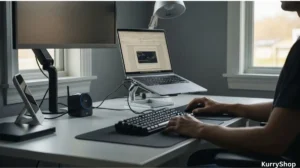
In 2026, it feels like everyone is selling productivity. Every week there’s a new video, a new setup tour, a new “game-changing” gadget that promises focus, energy, and motivation if you just add it to your desk. The home office market isn’t short on ideas — it’s flooded with them. That’s the trap.
Most of these tools aren’t really designed to help you work better. They’re designed to look like work is happening. Clean shots. Perfect lighting. Desks that seem untouched by real deadlines. I fell into that early on. I bought things because they photographed well, not because they solved anything. For a while, I confused visual satisfaction with real improvement.
A couple of years ago, I honestly thought my home office was “almost there.”
I had the desk. The chair looked ergonomic enough. Every few weeks, I’d add something new I’d seen online — a gadget that promised better focus, faster work, or less strain.
The strange part is that my setup didn’t feel better. It felt heavier. More cables. More things to charge. More small decisions to make before I could even start working.
What finally changed things wasn’t buying another gadget. It was realizing that a home office doesn’t fail because it lacks gear. It fails because the gear doesn’t match how work actually feels after five, six, eight hours — something I break down in more detail when talking about setting up a functional home office without overbuying. That’s when I stopped asking, “Is this cool?” and started asking, “Will this make my workday quieter?”
The Real Problem No One Talks About
Instagram setups optimize for first impressions. Real work optimizes for endurance. Buying every gadget that looks clever leads to a desk full of friction: things to charge, update, adjust, clean, and think about. Each one steals a little attention. Not enough to notice at first just enough to tire you out. A setup that works is usually quieter. Less impressive. More boring. And somehow, far more effective.
The Must-Haves: Gadgets Worth Every Penny
These are the tools that consistently paid me back. Not because they boosted motivation, but because they reduced friction I didn’t realize I was carrying.
The Ergonomic Powerhouse: Mouse & Keyboard
Strain doesn’t arrive dramatically. It accumulates. Wrist pain, shoulder tightness, finger fatigue they don’t announce themselves. They show up slowly, then suddenly become unavoidable. This is where spending a bit more actually matters.
A mouse like the Logitech MX Master 4 (or its recent equivalents) isn’t about speed. It’s about shape, weight, and resistance. Your hand rests instead of grips. Movements become smaller. By the end of the day, you still have energy left in your hands.
Keyboards follow the same rule. The Keychron Q series, for example, isn’t special because it’s mechanical. It’s special because it’s stable, consistent, and doesn’t fight your fingers. You stop thinking about keystrokes. That’s the win. If a tool touches your body all day, comfort compounds.
Active Posture Tools: Monitor Arms & Standing Desks
Standing desks are misunderstood. They’re not about standing all day. Anyone who does that learns quickly how exhausting it is. The real value is alignment. A monitor arm changed more for my neck than any screen upgrade. Being able to lift, lower, and pull the screen closer meant my head stopped subtly leaning forward for hours.
Standing desks work best when used occasionally to reset posture, stretch hips, and wake up circulation. Not as a productivity flex. Movement isn’t the goal. Relief is.
Lighting for Focus (Not Vibes)
Room lighting and task lighting do different jobs. Overhead lights create reflections and glare that make screens harder to look at, even when brightness seems fine. Desk lamps aimed directly at the workspace can be harsh and distracting.
Monitor light bars surprised me. They don’t light the room. They light the work. Soft, directional, and easy on the eyes. Less squinting. Less fatigue. Less irritation by mid-afternoon. Good lighting disappears. Bad lighting nags you all day.
Connectivity & Power: One Cable, Fewer Problems
Nothing breaks flow like plugging and unplugging. GaN chargers run cooler, take less space, and quietly do their job. Docking stations that actually work one cable for power, display, accessories remove a daily annoyance you don’t realize you’re tolerating.
Less heat. Fewer cables. Fewer things to troubleshoot.
It’s not exciting tech. It’s relieving tech.
The Skip-It List: Overrated Gadgets That Don’t Age Well
This part matters for trust yours and Google’s.
Smart Mugs with Apps
If your coffee needs firmware updates, something went wrong. A mug that keeps coffee warm is useful. A mug that needs an app, notifications, and charging is a point of failure pretending to be innovation. You don’t need reminders for hot drinks. You need fewer things asking for attention.
RGB Everything
Unless your job is being on camera all day, excessive lighting is visual noise. RGB keyboards, desk strips, glowing shelves they look exciting, then quietly tire your eyes. Focus doesn’t come from stimulation. It comes from stability. Calm environments work longer.
Ultra-Cheap “Ergonomic” Chairs
Cheap ergonomic chairs often fail twice: physically and financially. Six months in, the padding compresses, mechanisms loosen, and support disappears. Then you’re shopping again.
Buying one quality chair — from brands like Herman Miller or Steelcase — often costs less over time than cycling through three bad ones. Not because of prestige. Because of durability. Your body notices corners being cut long before your wallet does.
Voice-Activated Everything
Adding Wi-Fi to things that don’t need it isn’t smart. It’s complexity. Voice-activated trash cans, desk accessories, or small appliances introduce delays, errors, and distractions where none existed before. Flow comes from predictability, not novelty.
A Quick Reality Check
At some point, I stopped asking “Is this cool?”, And started asking “Will this make 5 PM feel better than 9 AM?”. That question filters out almost everything unnecessary.
Before spending more money, it helps to see the difference at a glance.
| Category | Worth Buying | Often a Gimmick | Why It Matters |
|---|---|---|---|
| Input Devices | Ergonomic mouse & mechanical keyboard | Ultra-cheap “ergonomic” sets | Your hands work all day. Small strain becomes a real problem after months. |
| Posture & Desk Setup | Monitor arms, adjustable desks | Fixed desk risers | Alignment beats standing all day. Flexibility is what saves your neck. |
| Lighting | Monitor light bars | RGB desk lighting | Task light reduces eye strain. Decorative light just adds noise. |
| Power & Connectivity | GaN chargers & docking stations | Multiple cheap adapters | One cable, less heat, fewer failures. Simplicity = reliability. |
| Comfort Extras | Quality office chair | App-controlled smart mugs | Comfort should fade into the background, not demand attention. |
The Golden Rule for Buying Gadgets
This rule saved me money and regret. If you notice the same problem three days in a row — wrist pain, neck strain, cable mess — buy the solution.
If you saw a gadget in a “cool desk tour” and forgot about it by evening, wait a week. Real problems repeat. Trendy ones fade. Also remember: every gadget added is one more thing to charge, update, clean, and mentally manage. Maintenance is part of the price.
Build for Flow, Not for Show
Your home office isn’t a museum. It’s a tool. If a gadget doesn’t quietly reduce effort, it doesn’t belong. If it makes your day feel heavier instead of lighter, no amount of hype redeems it. The best setups don’t impress visitors. They protect energy. And once you build around that idea, it becomes surprisingly easy to ignore everything else.
Now I’m curious:
What’s the one gadget you bought that you were sure would change everything — and now never use? That answer usually tells you more about productivity than any setup tour ever could.